
5 Powerful Linux CLI Tools You Should Be Using in 2026

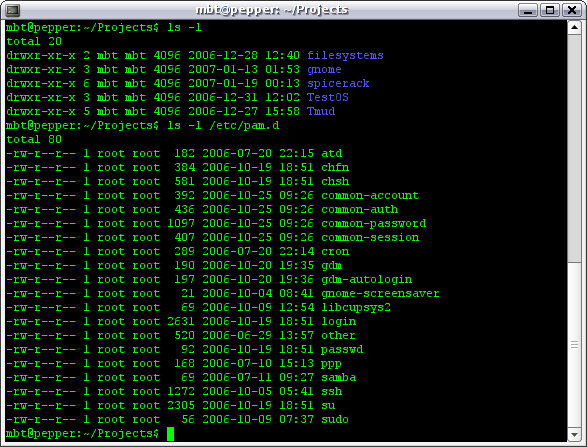
Linux Terminal

Graphical interfaces come and go, but the command line is forever—and in 2025, the Linux CLI scene is more intelligent and more capable than ever. Whether you’re managing servers or just trying to get things done faster, the right terminal tools can upgrade your entire Linux experience.
Here are five powerful CLI tools that deserve a permanent place in your toolkit this year.

1. Ripgrep—The Search Tool That Makes grep Feel Slow

If you still rely on plain grep for searching code, configs, or system files, it’s time to try ripgrep. Ripgrep (rg) is a modern drop-in replacement for grep.

Why It’s Great

  • Incredibly fast
  • Respects .gitignore files automatically
  • Smart defaults (recursive search, sensible output)
  • Integrates with VS Code, Helix, and Neovim

2. fzf—Fuzzy Finder for Everything

fzf is a fuzzy finder for the command-line. The longer you use it, the more you wonder how you lived without it.

What It Can Do

  • Fuzzy-search file names
  • Fuzzy-search command history
  • Fuzzy-search running processes
  • Create interactive pickers for your own scripts

3. bat—The Better cat

cat is fine, but bat is better. It’s a drop-in replacement that adds modern features without changing your workflow.

Features

  • Syntax highlighting
  • Git integration
  • Line numbers
  • Automatic paging with less

Bonus: Works beautifully with ripgrep and fzf for a hyper-efficient terminal workflow.

4. eza—Modern Replacement for ls

ls gets the job done, but eza (formerly exa) gives you a more readable view of your file system.

What You Get

  • Colorized output
  • Tree views
  • Git status indicators
  • Optional file icons
  • Better sorting options

Why You’ll Love It

Directory browsing will feel fun.

5. fastfetch—System Info With Style

Fastfetch is the spiritual successor to Neofetch—rewritten for performance, aesthetics, and modern systems.

Highlights

  • Extremely fast (written in C)
  • Beautiful ASCII logos
  • Highly configurable
  • Works on nearly all distros

Perfect For: Showing off your Linux setup.

Honorable Mentions

Zoxide: A smarter cd that learns your frequently used directories.

fd: A modern replacement for find—fast, intuitive, and colorized.

Final Thoughts

The Linux command line isn’t just a place to type commands—it’s a launchpad for automation, efficiency, and mastery. These five tools make Linux faster, more powerful, and more enjoyable in 2025.

Why I Left Evernote and Switched to Obsidian

Evernote and Obsidian Apps BoxingFor years, I was a loyal Evernote user. It was my digital filing cabinet, my task tracker, and my go-to app for jotting everything down. I stuck with it through clunky updates, layout changes, and new features I never asked for. But earlier this year, I finally made the switch to Obsidian — and I haven’t looked back.

The decision wasn’t sudden. It was more like a slow buildup of frustrations that eventually hit a tipping point.
The Breaking Point: Price and Ownership Uncertainty
My dissatisfaction began when Evernote raised its subscription costs. What used to be a reasonable annual fee suddenly almost tripled. As a longtime user who hadn’t needed many of the new “Premium” features, the cost hike felt like I was being priced out of my workflow.

Then came the acquisition by Bending Spoons. While I’ll admit that some of the app’s performance has improved under the new ownership, the sudden leadership change only added to my hesitation. What direction was Evernote heading in? Would it become even more commercialized and bloated with features I didn’t need?

It wasn’t just the cost that pushed me away — it was the sense that I was losing control over something I had grown to rely on.
Finding Obsidian: A Simpler, Smarter Alternative
Enter Obsidian, a Markdown-based note-taking app that stores everything locally by default. I had heard about it, but I assumed it would be too technical for me to understand. Surprisingly, it wasn’t. Obsidian made more sense to me than any other note-taking app I’d tried. It clicked.

Obsidian is built around a simple idea: your notes are plain text files, written in Markdown, stored on your machine. No proprietary formats. No cloud lock-in. You choose how and where your notes live. That alone was a relief.

I quickly found myself enjoying the minimalist writing environment and the way Obsidian stays out of your way. It just works — and it works well.
The Power of Plugins
What truly sets Obsidian apart, though, is its plugin ecosystem. The community around this app is not just active — it’s inspiring. There are plugins for everything, including kanban boards, calendar views, task management, backlink visualization, spaced repetition flashcards, and more.

I was able to build a workflow that mirrored my needs, not someone else’s idea of productivity. Daily notes, project dashboards, and even a web viewer, all linked through thought networks. The app evolved from a simple note-taker into a powerful productivity platform, completely tailored to my needs.

Compare that with Evernote, which increasingly felt like a rigid structure trying to mold me to its system.
Markdown and the Beauty of Portability
Another reason I prefer Obsidian is its support for Markdown. At first, I was intimidated by the syntax — asterisks for bold? Hashes for headers? But within a day, it became second nature. The payoff? My notes are future-proof. Markdown is widely supported and human-readable even without a dedicated app. If Obsidian were to disappear tomorrow, I’d still have access to everything, readable and usable.

Evernote, on the other hand, keeps your content in a proprietary format. Exporting is possible, but it’s messy and not something I want to deal with for hundreds (or thousands) of notes.
Privacy, Speed, and Simplicity
Obsidian’s local-first approach also gives me peace of mind. My notes aren’t sitting on someone else’s server unless I choose to sync them using my preferred method. It’s faster, too — no lag, no waiting for notebooks to load, no mysterious syncing issues.

And best of all? Obsidian is free for personal use. There are optional add-ons like Obsidian Sync or Publish if you want them, but there’s no pressure to subscribe — no constant nudging to upgrade.
Conclusion
To be fair, Evernote still has its strengths. Its web clipper is excellent, and it’s an accessible choice for many users who want a cloud-first solution with countless integrations. But for me, the cost, complexity, and creeping sense of vendor lock-in outweighed the benefits.

Obsidian gave me back control. It reminded me that productivity doesn’t need to be expensive or complicated. Sometimes, all it takes is a clean writing space, a little Markdown, and the freedom to build something that works for you, not the other way around.

If you’re feeling boxed in by subscription models or burned out by bloated apps, I’d encourage you to give Obsidian a try. You might be surprised how much better note-taking feels when it’s truly your own.